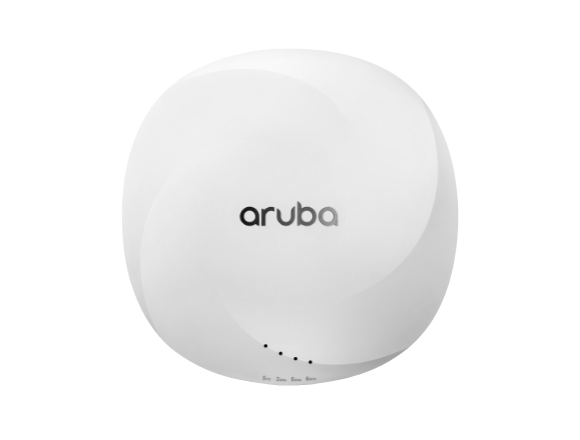
Help your customers refresh aging wireless infrastructure with built-in savings. The HPE Aruba Networking Trade Up Program lets eligible customers replace HPE Aruba Networking AP-1xx, AP-2xx, AP-3xx Series, and select competitor access points with new AP-6xx and AP-7xx Series APs. Customers can earn up to a $100 USD rebate per eligible access point on a 1:1 trade-up basis, with a minimum of 50 trade-up APs per order. View the promo page for full program details, eligibility, and submission requirements you can use to guide trade-up conversations and close larger refresh deals.
Email us for more details at:
Info@ameriprint.us
What is the HPE Aruba Networking AP Trade Up Program?
The HPE Aruba Networking AP Trade Up Program is a limited-time offer for customers who want to modernize their wireless network by moving to newer HPE Aruba access points.
Customers who purchase new AP-6xx and AP-7xx series access points to replace:
- HPE Aruba Networking AP-1xx, AP-2xx, AP-3xx series, and
- Selected competitor access points
are eligible to participate.
Key commercial details include:
- Up to USD 100 rebate per eligible access point (on a 1:1 trade up basis).
- Minimum of 50 units of trade up APs per order.
- Rebates are paid in US Dollars.
Customers can choose to:
- Self-decommission their legacy APs, or
- Use the HPE Recycling program to recycle hardware in a secure, globally consistent, and environmentally responsible way.
Public Sector note: Public Sector customers who want to use the program must execute an assignment agreement that gives all rights in the old equipment to the partner. Full details are available in the program Terms & Conditions.
How does the AP Trade Up process work from quote to rebate?
The AP Trade Up process is structured so that the seller manages most of the steps on behalf of the end customer. At a high level, it works like this:
- Pre-purchase and quote creation
- The seller creates an initial quote for the new HPE Aruba AP-6xx or AP-7xx products.
- The seller submits an application for participation in the Trade Up program on behalf of the end customer.
- You specify the new HPE products being purchased and the used products being returned to receive a non-binding offer.
- You provide the Deal / Offer ID, seller and customer address, and submit to HPE for approval.
- HPE approval
- HPE reviews the application, confirms eligibility, and communicates the final trade up allowance.
- An approved quote number is mandatory. Submissions without it will be rejected.
- Be aware that certain customer discounting levels may exclude Trade In rebates.
- If discounts are modified after approval, the initial approval is rescinded and the deal must be resubmitted for review.
- Purchase and delivery
- After the deal is closed and the new HPE products are delivered, the approved application can be converted to a claim.
- Submitting the claim
- Upload the end-customer invoice for the new HPE products.
- Provide key HPE product details: serial numbers, product numbers, invoice number.
- Share return product information: brand, dimensions, weights to plan collection.
- Provide the pickup address and any special collection instructions.
- If the seller receives the payment, upload a Transfer of Ownership document signed by the end customer.
- Read and accept the Terms & Conditions and submit the claim.
- Collection and payment
- After claim validation, HPE confirms collection arrangements and aligns schedules with you.
- Once the return products are received at the processing center, HPE issues the refund payment via bank transfer using the banking details provided.
Because the web tool session is time-limited to about 5 minutes, it helps to have all details ready before starting (Offer/Deal ID, product details, invoices, banking information, and pickup address).
What information and documents do I need to prepare?
To keep the Trade Up registration and claim process smooth (especially given the ~5-minute session limit in the web tool), it is useful to prepare the following in advance:
For the application / registration phase
- Active HPE Offer ID or Deal ID
- New HPE products being purchased (AP-6xx / AP-7xx details)
- Return products (model and brand, including whether they are HPE Aruba AP-1xx, AP-2xx, AP-3xx, or selected competitor APs)
- Seller and customer address information
For the claim phase (after delivery of new products)
- New HPE product details
- Scanned copy of the customer invoice
- Serial numbers and product numbers
- Invoice number
- Return product details
- Brand
- Dimensions and weights (for collection planning)
- Logistics and contact information
- Pickup address
- Site contact email address
- Any special instructions for collection
- Ownership and payment information
- Banking details for the refund (bank transfer)
- If the seller is receiving the refund: a Transfer of Ownership document signed by the end customer (if not already provided at application stage)
Having this information ready helps you move quickly through the online tool and reduces the risk of session timeouts or rejected submissions.




 Sign in with LinkedIn